That's Us!
Home Check shopping cart or proceed to checkout
 capella
 capella-scan
 cap playAlong
 Free Scores
 Support
 Download
 Update Service

  Composing it for you...

add tonica to shopping cart Introduction
Details
Facts
Download Demo tonica
Download Demo tonica plus
Click for enlargement

Helping you with tonality, harmony and composition

You know what it's like: Only an hour to go until choir practice and you had intended to compose a four-part harmony for your choir to sing... The good news is that now there's no longer any need to turn up empty-handed because you can let tonica do the work for you in a matter of seconds!

 Listen to composition 

We have just turned the impossible into child's play: tonica has been designed to create a four-part harmony for any melody.
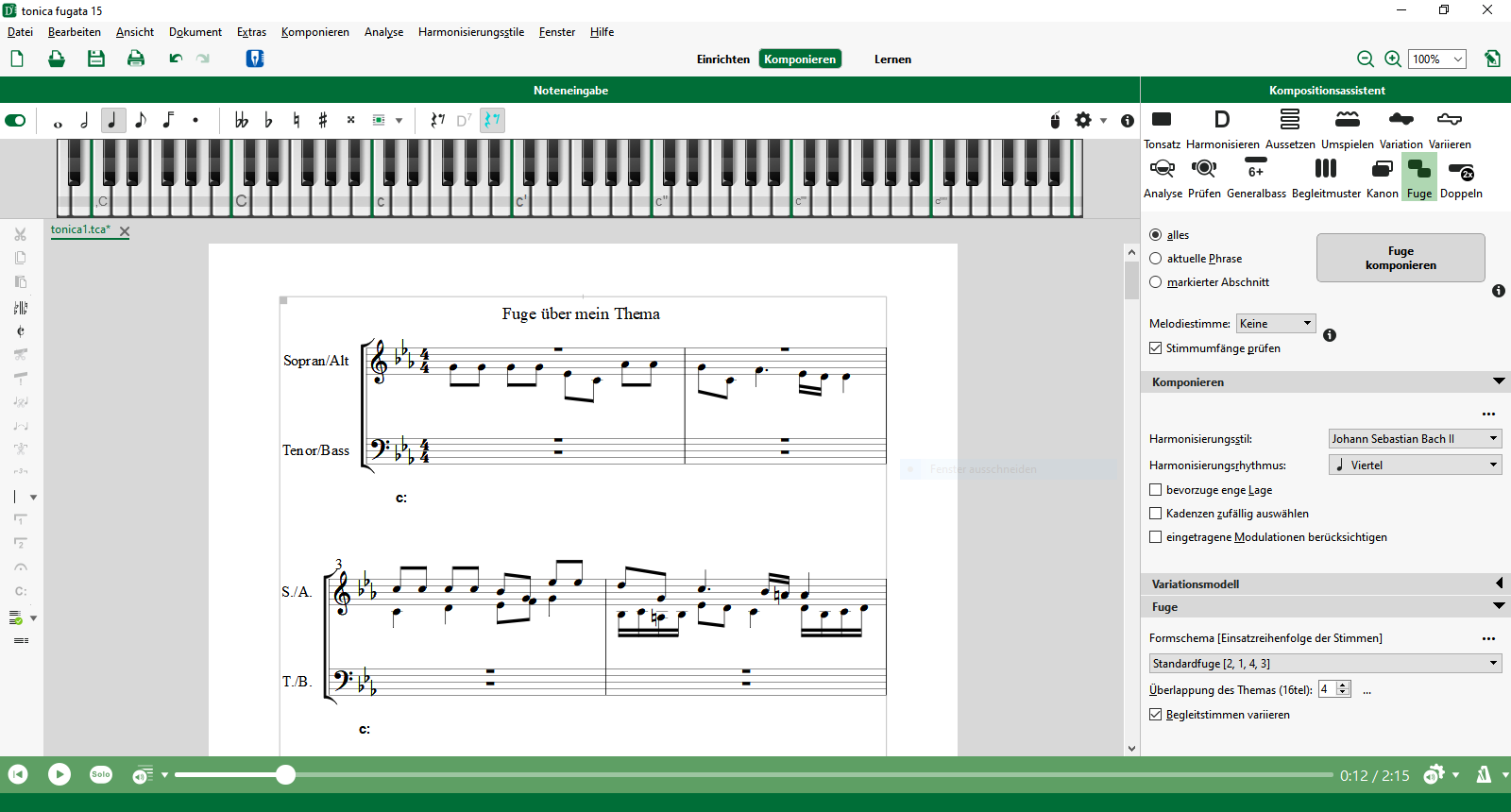
tonica models its work on the rules affecting four-part harmonies and the composition style of Johann Sebastian Bach or Max Reger (can be set accordingly).
While other programs try to delude users into thinking they are gifted composers with a primitive automatic accompaniment, tonica uses a totally different approach: Based on neural networks, tonica is actually able to compose in the style of the old maters.

  Details

Add tonica to shopping cart Introduction
Details
Facts
Download Demo tonica
Download Demo tonica plus

How tonica composes

Step one: You specify the melody

Kum Ba Ya, click to enlarge  Listen  You compose the melody of a song, hymn or piece of music. The illustration (click to enlarge) demonstrates how this has been done using the "Kum Ba Ya" gospel; in the illustration on the right we have entered the melody of a chorale. Chorale, click to enlarge  Listen 

Step two: tonica does the rest

Kum Ba Ya, click to enlarge
 Listen 

Harmonies are shown in Roman numeral

By clicking on "harmonize" tonica will compose a four-part harmony in a matter of seconds. Choral, click to enlarge
 Listen 

Harmonies are shown in Function theory

tonica does not make you redundant

You can restrict tonica's work to composing the designations of a function. Once this has been done, you can finish composing the harmony yourself and compare it with the work produced by tonica afterwards. You can also ask tonica to compose in specific areas or sections.

tonica caters for your needs

If you want to, tonica will take care of the entire composition process for you. Or, if you prefer, you can ask tonica to do some of the work, but leave the rest for you to finish. You can also compose a four-part harmony and let tonica evaluate it; or you can ask tonica to create a chord for a certain spot in the composition. Indeed, you can even ask tonica to re-compose a certain section in your own composition.

Perhaps you're experiencing a composer's block in a certain place and would like to see some alternatives - tonica can provide you with valuable assistance! You can add the notes with your mouse or play them in, using your MIDI instrument (each part separately). You can add a chord symbol wherever you want in the composition. Tonica uses the chord symbols associated with functional theory or Roman Numeral.


The store

tonica has command of basic cords, all reversals, septchords and nonchord tones, each in their main and auxiliary functions. It also has intermediary dominants and real modulations (two key levels). Therefore tonica is also suitable for more advanced composers. If you are still getting to grips with harmonics, tonica's manual provides a detailed beginners course in music theory and harmonics.

tonica draws on an incredibly comprehensive range

The cadence databank

You can ask the software to draw on a store of approximately 120 complete cadences from the old masters. tonica will then analyse the flow of the melody, starting from the end of each line and go back three of four notes and look in its cadence building blocks to see whether a fitting finish by Bach or Reger is available.

The result is harmonies that are really smooth and harmonic and which cannot be identified as being computer generated.

Evaluation and analysis

tonica can help you with your own works

Evaluation, click to enlarge Evaluating your own compositions is easy: The program has been designed to tell you whether you have added the right notes to the chord in the four-parts, whether you have put the accidentals in the right places and whether you have made forbidden consecutives or other mistakes while composing your chords. If you want to evaluate one of your practice harmonies, all you have to do is create two windows, one containing your work and the other with the file created by tonica - it couldn't be easier! Forbidden parallels are automatically displayed in the notation. Chord analysis is carried out in the evaluation window.

Your analysis assistant

Analysis, click to enlarge Just imagine, you are faced with a complicated analysis of a piece of musical notation, and you are unsure as to whether a chord is a shortened dominant sept-nonchord or just an extended sub-dominant triad. tonica will take care of all your doubts at the click of a mouse. tonica is also able to analyse exactly complete notations, which contain no function or level indicators, based on a tonal centre. So if you ever wanted to know just what you or others have created, before you proudly present it to an unsuspecting public, or if you ever wanted to sneak a look at the masters, then tonica's analysis function is the ideal tool for you.

Professional: The interface to the outside world

capella Export

You can use your notations as the basis for more comprehensive compositions. All you have to do is export them into capella (available separately) before structuring and adding the finishing touches according to the rules of music engraving.

MIDI import & export

Thanks to tonica's MIDI interface you can use your compositions in just about any other music systems. For example, using capriccio software (available separately) you can structure a composition to include changes in tempo, changes to the volume of individual notes and much more.

Compose like a professional with tonica

tonica is suitable for all musicians. The theoretical fundamentals of music are equally applicable to all areas of music. High school teachers can use tonica to compose efficiently composition tasks such as figured basses, soprano parts for composition or entire example compositions. Yet for all its abilities, tonica's best and most popular function remains the automatic composition feature. Surprise your friends with a choral movement over a song by the Beatles or with your "own" composition that sounds almost a good as one from Johann Sebastian Bach!

You can also print your compositions. A composition can easily fill up several pages of letter-size paper. The CD includes a large number of example compositions across all levels of difficulty: from practice compositions to vivid literary examples. Indeed, there is something here for everyone, no matter what their taste.

Looking for even more? tonica plus!

Those of you that like to experiment, will love tonica plus. Given that tonica has been designed to learn through its neural technology, we have developed and introduced an additional style assistant to the program. Not only does this assistant make it possible for tonica to learn new styles (provided they are based on four-part homophone harmonies), it also enables you to save them as permanently available composition styles.

Once you have created a new style, you might want to export it, making it available to other users in our style library. Which in turn means, that you are able to download styles created by other tonica-plus users from the internet and import them into your program.

  Facts

Add tonica to shopping cart Introduction
Details
Facts
Download Demo tonica
Download Demo tonica plus
tonica plus 7.0
tonica 7.0
Automatic four-part composition (styles: J.S.Bach, Max Reger)
Learning new composition styles using the Style Trainer - create your own style!  
Automatic harmonizing
Analysis of harmonics
Automatic cadence feature (with over 100 finished cadences by J.S. Bach and Max Reger)
Adding (partial) cadences, modulations; multiple options for the insert function
Comprehensive analysis information on the current cadence
All reversals, septchords and nonchords
Main and auxiliary functions
Intermediary dominants
Real modulations (two key levels)
MIDI import & export: providing interfaces to capella
Import and export functions for new composition styles  
Choice of presentation either as functional harmonics (T - D) or interval theory (I-V) or Roman Numeral
Unrestricted distances between staves and notation systems  
Zoom function for monitor  
Print out longer compositions on one sheet of paper  
Forbidden consecutives are displayed in the notation - also hidden consecutives on request

System Requirements

For Windows 98SE/2000/ME/XP/VISTA
Price tonica 7.0 US $ 129.95 Add tonica to shopping cart
Price tonica plus 7.0 US $ 199.95 Add tonica plus to shopping cart
Information about online licences